NetNewsWire style with free cookies
- Posted
4 February 2006 - Updated
4 December 2006
This is a relaunch of Ollicle Flex, a style for NetNewsWire which makes use of cookies. No doubt you are scratching your head, ‘I thought styles were written with CSS’, you may think, ‘What have cookies got to do with how my feeds look’.
If you’re not particularly interested in the details of why and how just download Ollicle Flex and try it for yourself. Remember to enable JavaScript for News Items to enable the new features. Read on for the nitty gritty.
The process of creating this style didn’t start with my hands in the cookie jar – these tiny bits of saved information turned a solution to a problem into a feature.
The problem with large images
A kind commenter highlighted an issue (thanks Dean), with an earlier version of Ollicle Flex, where wide images are overlapped by the info text block on the right. There’s some CSS that ensures you can read the text if you hold your cursor above the info, but this background colour change does nothing to prevent the distraction to the image itself. Beyond that (until recently) I had thrown this particular problem into the too-hard basket. Most feeds I regularly read keep their images within a manageable size.
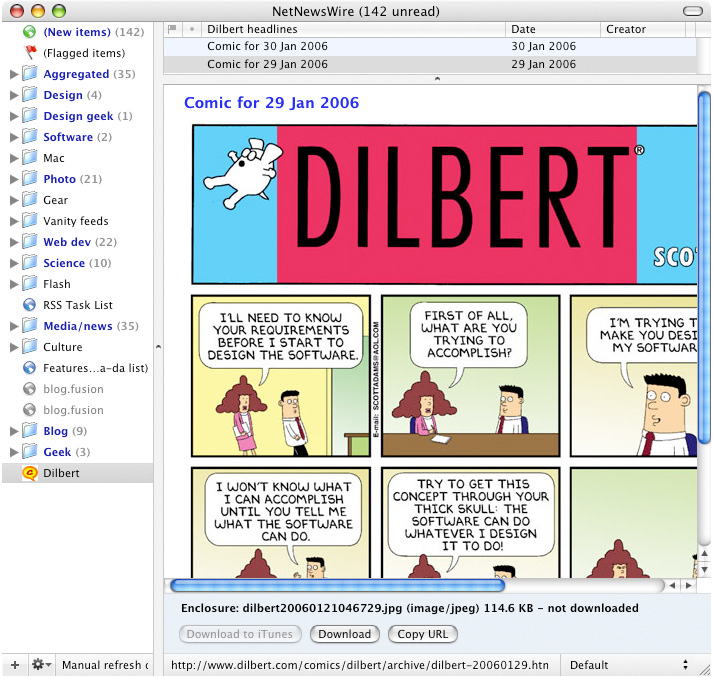
Even without the distraction of text overlapping them, even regular styles
will obviously crop large images.
DOM scripting to the rescue
Armed with a copy of the wonderful DOMscripting I decided to tackle this problem from a different angle. Perhaps the images could scale to fit the available space. This would fit nicely into my vision for Ollicle Flex. Making this happen within a flexible layout proved tricky, I suspect I may have stumbled across a webkit bug or two. I’ll leave the tedious details and workarounds for a another post, maybe. In the long run I got it to work nicely!
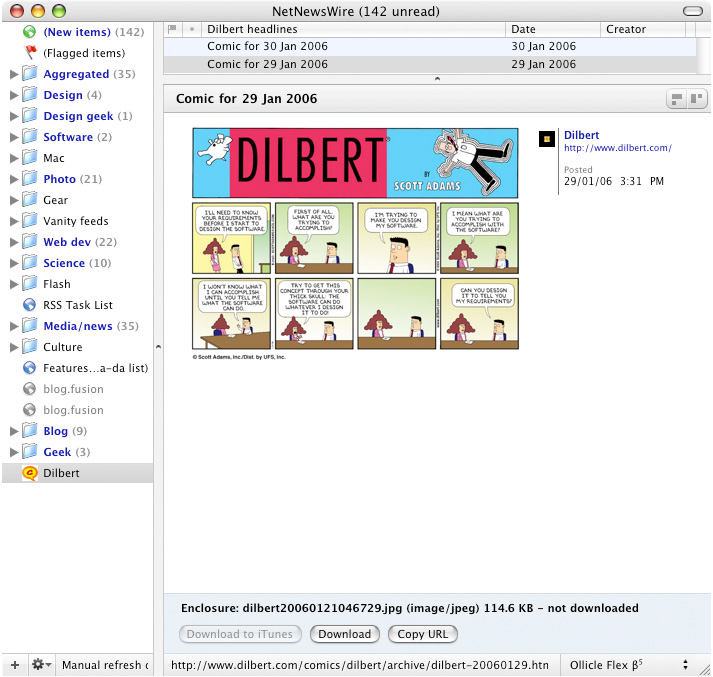
When using Ollicle Flex large images are scaled to fit the width of the
column.
All I need now is a handy way to view the images at the larger size, should I want to.
Considering Lightbox
Originally I planned to adapt the Lightbox JS technique. Clicking on a scaled down image would ‘pop’ it up to a maximised size overlaying the feed. Seemed doable in theory, but considering the scenario of clicking on a large image that was already linked made my head hurt.
I decided that Lightbox, as cool as it is, was overkill for this problem and ultimately not really ‘flex’. I’ll leave the Lightbox for NetNewsWire style for someone else to wrestle with.
Width control and layout options
Something reminded me that I already had an ‘alternative’ layout which positioned the meta information out of the way of wide feed content. Setting NetNewsWire’s layout to the Widescreen View when using Ollicle Flex (or Crisp) reconfigures the columns to a more conventional single column arrangement where the meta information appears after the content of the feed. The widescreen layout best suits a narrower HTML pane – when including a second column is too tight.

Switching to the single column layout provides more space for optimal image
width.
What the single column layout is also really good for is ensuring the content is as wide as it can be in a given window width. In the typical NetNewsWire window arrangement I see the length of text lines which span the full width of the HTML pane as an obstacle to easy reading. Ollicle Flex makes these long measures of text bearable by adding space between the lines (line-height) as you widen the window.
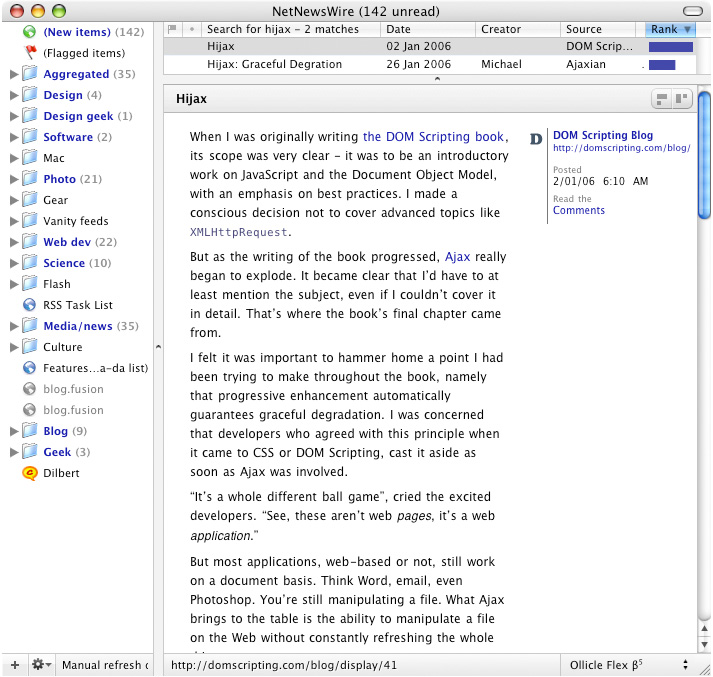
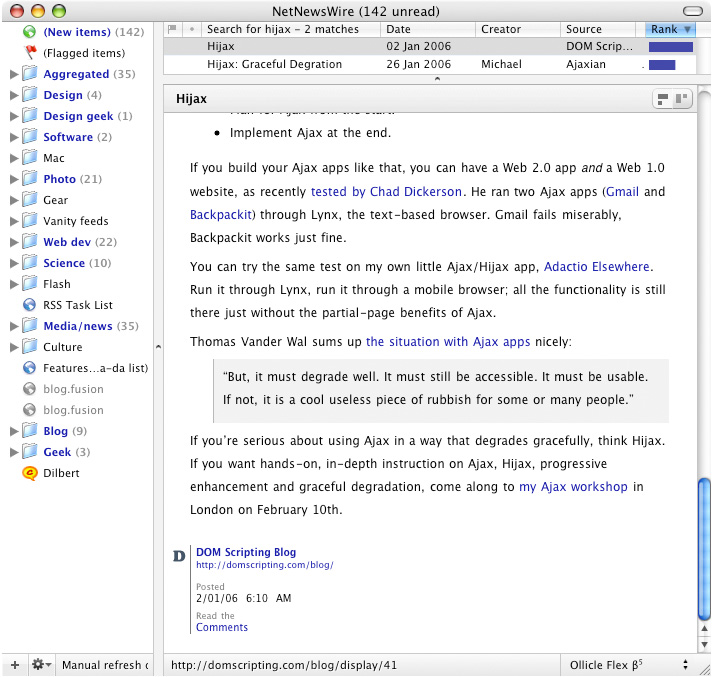
Text line-height is adjusted in response to changes in column (and window)
width.
Regardless I knew it would be nice to have the option to switch between a wide, single-column, view and a more comfortable to read double-column. The question was how to make this switch painless. Changing NetNewsWire’s view from Traditional to Widescreen to do this is stupid; Toggling between two styles with NetNewsWire’s style menu is too fiddly; The answer required a simple flip between these layouts with a single click.
Adding some buttons
Access to the HTML template, combined with the power afforded by JavaScript to further manipulate the markup, means that adding clickable bits within the feed reading pane is really easy. This doesn’t make it a good idea to go button crazy! Brent has worked hard to keep NetNewsWire’s interface beautifully clean – I’m aiming for a seamless extension of that.
With this in mind I fashioned a pair of buttons that when clicked, change the ID on the BODY element within the displayed HTML. From here CSS takes the reins and the change is reflected in the layout. Sweet! Two styles for the price of one.


 Subtle buttons on the Ollicle Flex title bar.
With some road testing I discovered that it was common to want to view every item of a particular feed with the same alternative layout. For example, every entry in a cartoon feed is likely to have a wider than normal image, and as the view is refreshed each time a new one is selected; It would be necessary to click the button for each individual item in the feed.
At this point I was ready to throw in the towel. All that clicking would quickly get very tedious. Without a means to make the layout selection persistent my hard work was as good as scrap.
Eureka! Cookies!
When the idea of setting a cookie in the webkit driven news item view occurred to me I was dubious. Why would Brent enable such a feature? Then again, why would he bother disabling it? I tried it and it worked! No only does it work, the cookies are stored exclusively per feed. Perfect! This means when a cookie is used to store a layout preference it is only reflected in the display of that particular feed.
The next step
Although I’m looking forward trying a few more ideas that make use of
JavaScript in a NetNewsWire style, I really can’t wait to see what
people smarter than me come up with. Which reminds me; Brent, it would be nice
to have an independent javascript file in the NetNewsWire style package. We
have template.html and stylesheet.css perhaps
behaviour.js would complete the family?
Further thoughts
4 December 2006
If you like Ollicle Flex be sure to check out the newer, flexier Ollicle Reflex.